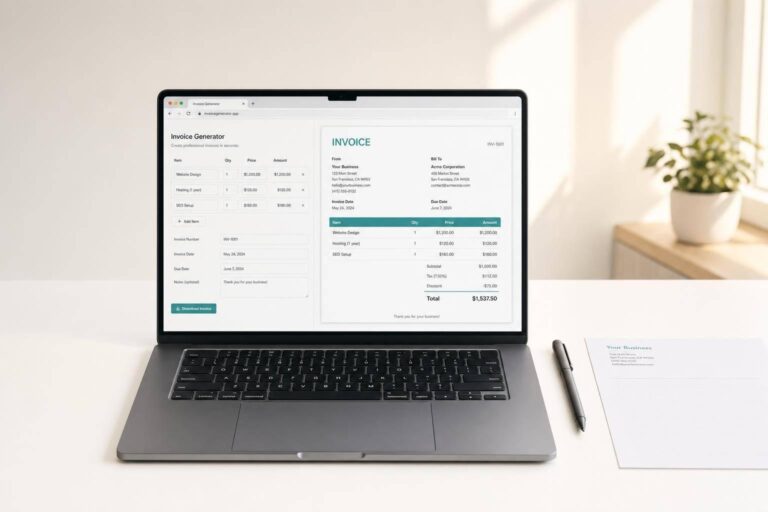
Online Invoice Generator
Create clean, client-ready invoices in your browser
A good invoice generator should do more than just list prices. It should help you organize billing details, calculate totals correctly, and present everything in a format that looks professional the moment it appears on screen. This tool is built for exactly that. You can enter seller and client information, add repeatable line items, choose a currency, and include practical extras like discounts, shipping fees, notes, and payment instructions.
Fast calculations with a live preview
As you type, the invoice preview updates automatically, so you can catch mistakes before sending anything out. Quantities, unit prices, taxes, and adjustments are calculated in real time, making this a practical online invoice maker for freelancers, consultants, small businesses, and service providers. The layout stays clean and print-friendly, which is ideal when you need a browser-based billing tool that’s simple but polished.
Built for everyday business use
Whether you’re billing for products, hourly work, or one-time services, this invoice generator helps you produce a clear breakdown of charges without extra software. It’s a straightforward way to create printable invoices, keep totals accurate, and give clients a document that’s easy to review and pay.
FAQs
How does the invoice total get calculated?
The tool calculates each line item by multiplying quantity by unit price, then adds those amounts to create the subtotal. From there, it applies the discount using one clear rule: discount is taken from the subtotal before tax, then tax is calculated, and finally any shipping or extra fees are added. This keeps the math consistent and easy to understand for both you and your client.
Can I add multiple products or services to the same invoice?
Yes. You can add and remove line items as needed, which makes the tool useful for everything from simple one-service invoices to more detailed billing with several products or tasks. Each row can include an item name, optional description, quantity, unit price, and tax information, so the finished invoice stays organized and professional.
Is this invoice generator suitable for printing?
Yes, that’s one of its main strengths. The layout is designed to produce a clean, readable invoice preview directly in the browser, with clear sections for seller details, client details, dates, itemized charges, totals, notes, and payment instructions. If you need a paper copy or a PDF created through your browser’s print option, the preview is built to look polished and business-ready.