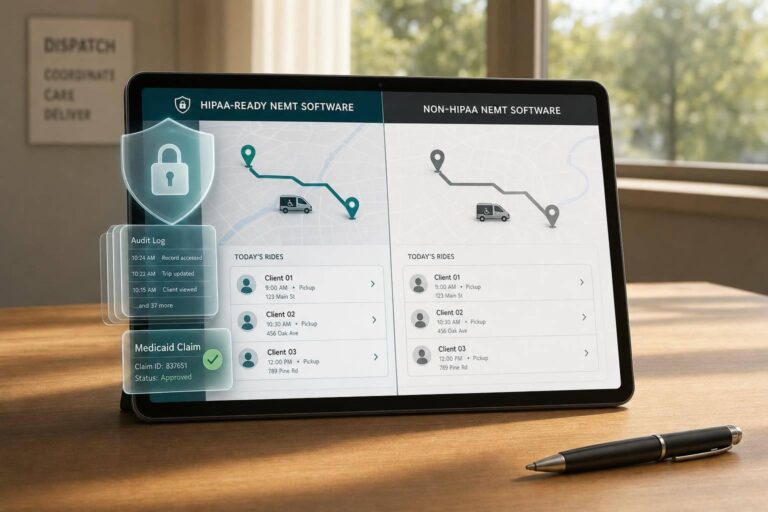
If your NEMT software stores rider details tied to medical care, you likely need HIPAA-ready software. That includes things like Medicaid IDs, trip notes, discharge details, recurring dialysis trips, and billing records. In 2026, HIPAA penalties range from $145 to $73,011+ per violation, with annual caps up to $2,190,294.
Here’s the short version:
- HIPAA-ready software can handle PHI and should come with a signed BAA
- Non-HIPAA software may work for basic transport, but it should not be used for PHI
- The main gaps are usually encryption, access controls, audit logs, secure messaging, and billing workflows
- If you handle Medicaid, broker trips, hospital discharges, dialysis, oncology, stretcher, or BLS trips, you’re likely in HIPAA territory
- If you only run non-medical rides like airport shuttles or senior trips with no health data, non-HIPAA tools may be enough
I’d look at this choice in one simple way: does the trip record reveal medical care or identify a patient in a medical context? If yes, the software has to match that risk.
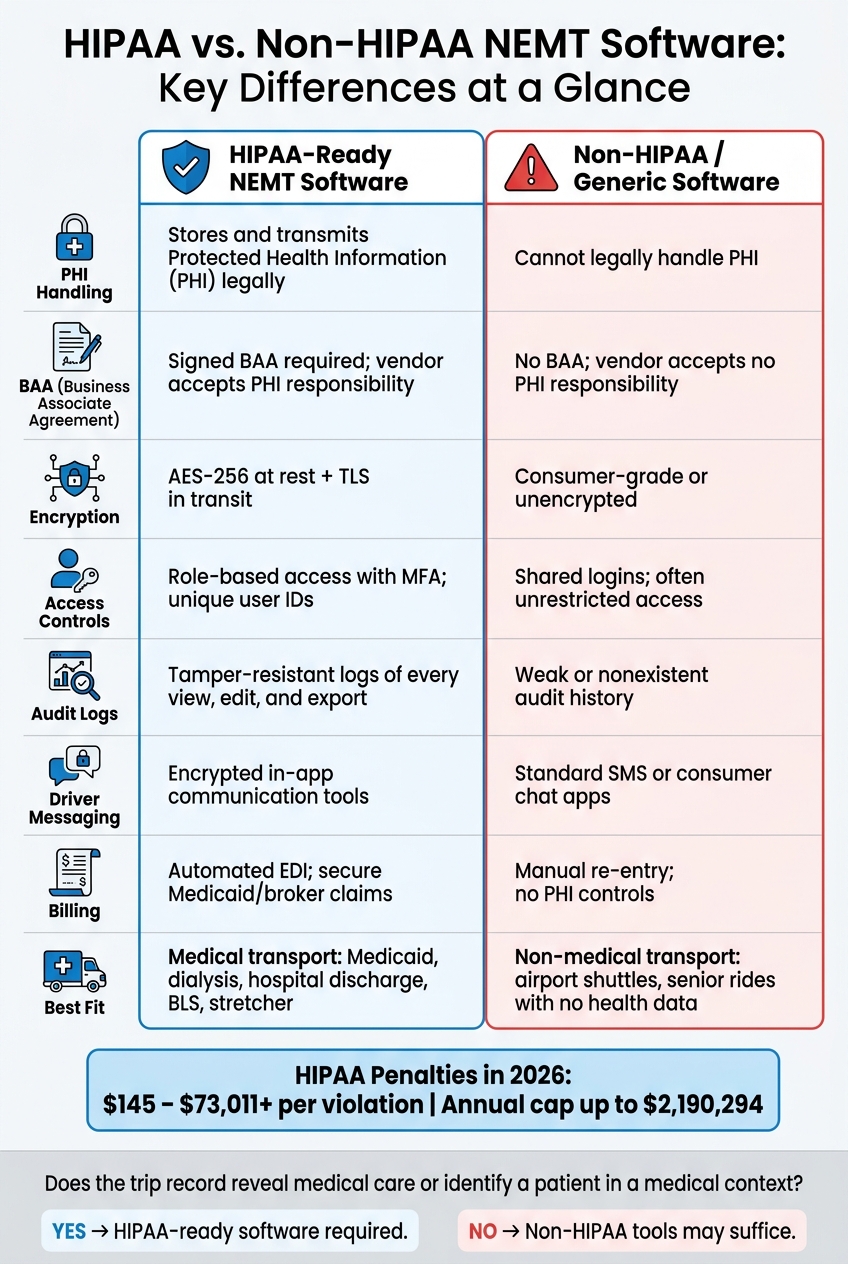
HIPAA vs. Non-HIPAA NEMT Software: Key Differences at a Glance
HIPAA Compliance for NEMT Providers: Protect Your Business & Avoid Costly Fines!
sbb-itb-af83355
Quick Comparison
| Criteria | HIPAA-Ready NEMT Software | Non-HIPAA Software |
|---|---|---|
| PHI handling | Yes | No |
| BAA | Yes | No |
| Encryption | Data at rest and in transit | Often limited or unclear |
| User access | Role-based access by job | Often broad access |
| Audit logs | Tracks views, edits, exports | Often weak or missing |
| Driver communication | Encrypted in-app tools | SMS or consumer chat |
| Billing | Secure EDI and Medicaid workflows | Manual entry across tools |
| Best fit | Medical transport with PHI | Non-medical transport only |
So the core difference is simple: one type of software is built to store and send PHI, and the other is not.
HIPAA-Compliant vs. Non-HIPAA Software: Core Differences
At that point, the difference isn’t branding. It comes down to whether the software can legally handle PHI and enforce access controls.
HIPAA software is defined by its safeguards and a signed Business Associate Agreement (BAA), not by some badge or certification label. The Business Associate Agreement (BAA) is the contract that makes the vendor responsible for safeguarding PHI. Without a signed BAA, a vendor should not store or transmit PHI on a covered entity’s behalf.
What HIPAA-Compliant Software Includes
HIPAA-ready software encrypts data at rest and in transit, uses unique user logins, and limits access by role so staff see only the records they need. In plain terms, dispatchers, drivers, and billing staff each get access only to the data tied to their job.
It also keeps tamper-resistant audit logs, times out inactive sessions, supports multi-factor authentication, and can remotely wipe lost driver devices. Those controls matter most when dispatchers, drivers, and billing staff all touch the same trip record.
What Non-HIPAA Software Typically Lacks
NEMT software vs. manual dispatch methods like generic fleet apps, spreadsheets, and logistics tools may work for non-health data, but they usually don’t support a BAA or PHI-specific controls.
That gap creates risk fast. A trip note, destination, or billing record can identify a rider.
The quickest way to see the difference is to compare what each platform can prove, control, and log.
| Feature | HIPAA-Compliant NEMT Software | Non-HIPAA / Generic Software |
|---|---|---|
| Legal Agreement | Signed BAA; vendor accepts PHI safeguarding responsibility | No BAA; vendor does not accept PHI responsibility |
| Access Control | Role-based access; drivers see only assigned trips | Often unrestricted; full roster visible |
| Encryption | AES-256 at rest; TLS in transit | Consumer-grade or unencrypted |
| Audit Trails | Tamper-resistant logs of every access/edit/export | Weak or nonexistent history |
| Messaging | Encrypted in-app communication | Standard SMS or consumer chat apps |
| Billing | Built-in Medicaid/EDI integration | Manual entry; no PHI controls |
How HIPAA Status Affects Daily NEMT Operations
Those core differences stop being abstract the moment dispatch, billing, and recordkeeping start handling PHI.
Scheduling, Dispatch, and Driver Communication
A trip to a dialysis or oncology clinic can reveal PHI. That matters fast in day-to-day work. Non-HIPAA tools often send those details through SMS or consumer chat apps, which creates risk where there doesn’t need to be any.
RouteGenie notes that drivers need assigned trip details, not clinical or billing data. That simple split shapes how a solid setup works. Dispatchers, drivers, and billing staff each see only the data tied to their job. Role-based access keeps those lines clear instead of turning every trip into an open file.
Billing, Claims, and Document Handling
The same issue shows up in billing. Manual handling means more exposure points and more mistakes. When staff have to re-enter the same data across tools, PHI ends up scattered across more screens, more files, and more people.
Eligibility forms, authorizations, and trip records should stay in one access-restricted cloud or on-premise system. NEMT platforms cut down that drag with automated EDI workflows and direct broker integrations with MTM and ModivCare. Less jumping between systems usually means fewer errors and less mess. This efficiency is often driven by specific NEMT dispatch software features designed to centralize data.
Security Oversight and Incident Response
The biggest day-to-day gap is audit visibility. HIPAA-compliant software keeps immutable audit logs that track each view, edit, or export with a timestamp and user ID. If someone opens a record, changes it, or sends it out, there’s a record of that action.
Paper files and spreadsheet-based workflows are a different story. When a Medicaid or broker audit shows up, pulling audit-ready records from those systems can feel like piecing together a puzzle with half the pieces missing.
Here’s what that looks like in practice:
| Workflow Area | HIPAA-Compliant Software | Non-HIPAA / Generic Software |
|---|---|---|
| Access Controls | Role-based; unique IDs; MFA | Shared logins; unrestricted access |
| Messaging | Encrypted in-app notifications | SMS or consumer chat apps |
| GPS & Trip Data | Encrypted at rest and in transit | Often stored in unencrypted logs or spreadsheets |
| Trip Notes | Restricted by role | Visible to all; often shared via paper or spreadsheets |
| Billing | Automated EDI; secure Medicaid claims | Manual re-entry; paper-based documentation |
| Audit Trails | Immutable logs of every record access/edit | No reliable audit trail |
When NEMT Operators Need HIPAA-Ready Software
The previous section covered how the controls work. This section covers when they’re required.
Once those controls are in place, the next step is simple: look at the data your trips carry. If your operation handles PHI, your software needs to match that risk.
Signs Your Operation Handles PHI
The clearest clue is what your NEMT scheduling system already stores. If your dispatch records include rider dates of birth, Medicaid IDs, trip reasons tied to treatment, mobility status tied to treatment, or discharge instructions, you’re handling PHI and need HIPAA-ready tools.
If you store or send PHI for hospitals, payers, or brokers, get a signed BAA before go-live.
Here are the clearest signs that a HIPAA-ready platform is required:
| Use Case | Safer Software Fit | Reason |
|---|---|---|
| Medicaid / Broker Trips (MTM, Modivcare) | HIPAA-Compliant | Requires a BAA, Medicaid IDs, and secure EDI data exchange |
| Dialysis & Oncology Recurring Trips | HIPAA-Compliant | Recurring destinations can reveal a rider’s condition through pattern |
| Hospital Discharges | HIPAA-Compliant | Often involves discharge instructions, medical notes, and mobility-related PHI |
| Stretcher / BLS Transport | HIPAA-Compliant | Mobility status tied to treatment is core PHI |
| Private-pay medical appointments | HIPAA-Compliant | Patient identifiers tied to medical care require HIPAA protection |
| General Senior Shuttles (no medical data) | Non-HIPAA | Only if no medical identifiers or conditions are collected or stored |
| Private Pay Airport Shuttles | Non-HIPAA | No medical context or PHI involved; standard logistics tools suffice |
A simple rule of thumb: if the trip record says more than who, where, and when, you may already be in HIPAA territory.
How to Evaluate Vendors Before You Switch
Start with the BAA. If a vendor won’t provide one before go-live, that’s your answer right there.
Then check the basics that should not be optional:
- Encryption standards: AES-256 at rest and TLS in transit
- Tamper-resistant audit logs
- Role-based access controls with MFA
- A mobile driver app that supports remote wipe for lost devices
If you work with brokers, ask whether the platform supports direct EDI integration with MTM or Modivcare. Also ask if that setup costs extra. In many cases, the fee runs from $1,500 to $5,000 per broker.
One more test matters a lot during an audit: ask how long it takes to export a full rider trip history and driver activity log. If the answer isn’t within minutes, that gap deserves attention.
Conclusion: Matching Software to Your Risk, Workflow, and Growth Plans
This choice comes down to the data your trips carry, not the label on the software. If trip data can identify riders or show treatment patterns, you’re already handling PHI. Once that’s the case, non-HIPAA tools become a liability.
That risk tends to show up fast in billing and audit work. Lower-cost general-purpose software can end up costing more later through manual claim work, slower exports, and more denials.
For operators handling Medicaid or brokered trips, the platform needs to fit both compliance demands and day-to-day workflow. For Medicaid and brokered trips, HIPAA-ready software with a signed BAA is usually the safer fit.
Non-HIPAA tools only make sense for operations that fully avoid PHI, especially when auditors review transportation logs and trip records. Match the software to your data, your contracts, and your audit risk.
FAQs
What counts as PHI in NEMT?
In NEMT, PHI means any information that can identify a patient and connects to their care or ride needs.
That covers things like names, Medicaid IDs, phone numbers, and home addresses. It also includes trip details, pickup or drop-off locations linked to medical facilities, GPS logs, route history, insurance information, mobility needs, and appointment details.
Do I need a BAA from my software vendor?
Yes. A signed Business Associate Agreement (BAA) from your software vendor is required if the platform stores or transmits protected health information (PHI).
Without a signed BAA, you can’t legally use the software to store PHI. The agreement also requires the vendor to meet data security and breach notification duties.
Can I use non-HIPAA software for medical trips?
No. If a trip involves Protected Health Information, the software used to store or send that data must be HIPAA compliant.
Using non-compliant tools, like generic ride-share platforms or unencrypted email, can put you in violation of federal law. It can also leave your business open to fines, audits, and breach liability. At a minimum, compliant software should include a signed BAA, encryption, and role-based access controls.