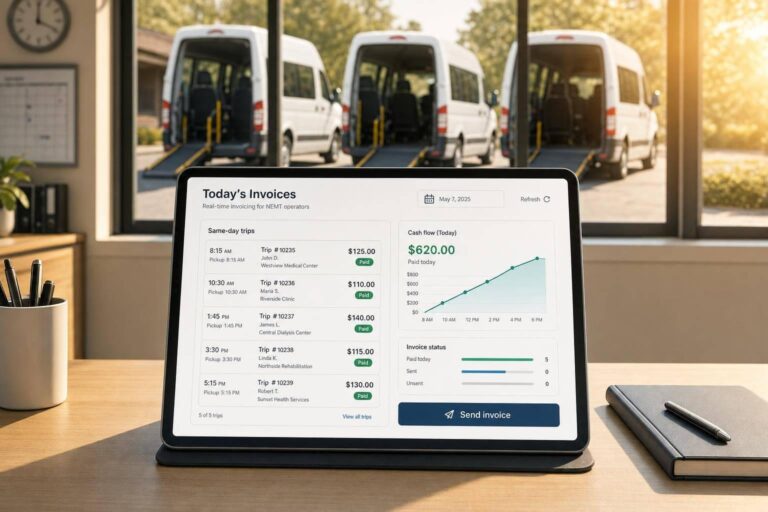
If I bill a trip the same day it ends, I give my fleet a better shot at getting paid sooner and with fewer claim errors.
Here’s the core idea: once a ride is done, I should have the trip date, pickup and drop-off, times, miles, driver and vehicle info, payer details, service level, and any rider proof in the system right away. When that data is entered at trip end, billing can move the trip into a private-pay invoice, broker file, or Medicaid claim without waiting for paper notes or later data entry.
In plain terms, this article says real-time invoicing helps me:
- Send bills sooner
- Cut re-entry mistakes
- Lower denials and resubmits
- Track unpaid claims before they age 30, 60, or 90 days
- Set billing holds for missing data, time gaps, mileage issues, and eligibility problems
- Train drivers and dispatchers to collect billable trip details the right way
- Review accepted, denied, partial-paid, and posted claims after launch
A few points stand out:
- Manual billing creates delay. Trips often sit until someone types them in later.
- Same-day billing depends on clean trip records. Bad input still leads to bad claims.
- Private-pay, Medicaid, and broker billing do not follow the same rules.
- Access controls matter. Only the right staff should release, edit, or void claims.
- Weekly reconciliation helps catch missing or misapplied payments.
Quick Comparison
| Area | Manual Invoicing | Real-Time Invoicing |
|---|---|---|
| Billing timing | Later batch entry | Same-day trip-based billing |
| Data entry | Paper logs or delayed input | Entered at trip completion |
| Error risk | Higher | Lower with rule checks |
| Rework | More fixes after submission | More issues stopped before submission |
| Cash flow impact | Slower payment cycle | Shorter path to payment |
| Claim follow-up | Often delayed | Easier to track by trip status |
I’d sum it up this way: real-time invoicing works when trip data, billing rules, staff training, and claim review all follow the same process. This article explains how that process fits together for small NEMT fleets.
How Real-Time Invoicing Improves Cash Flow and Accuracy
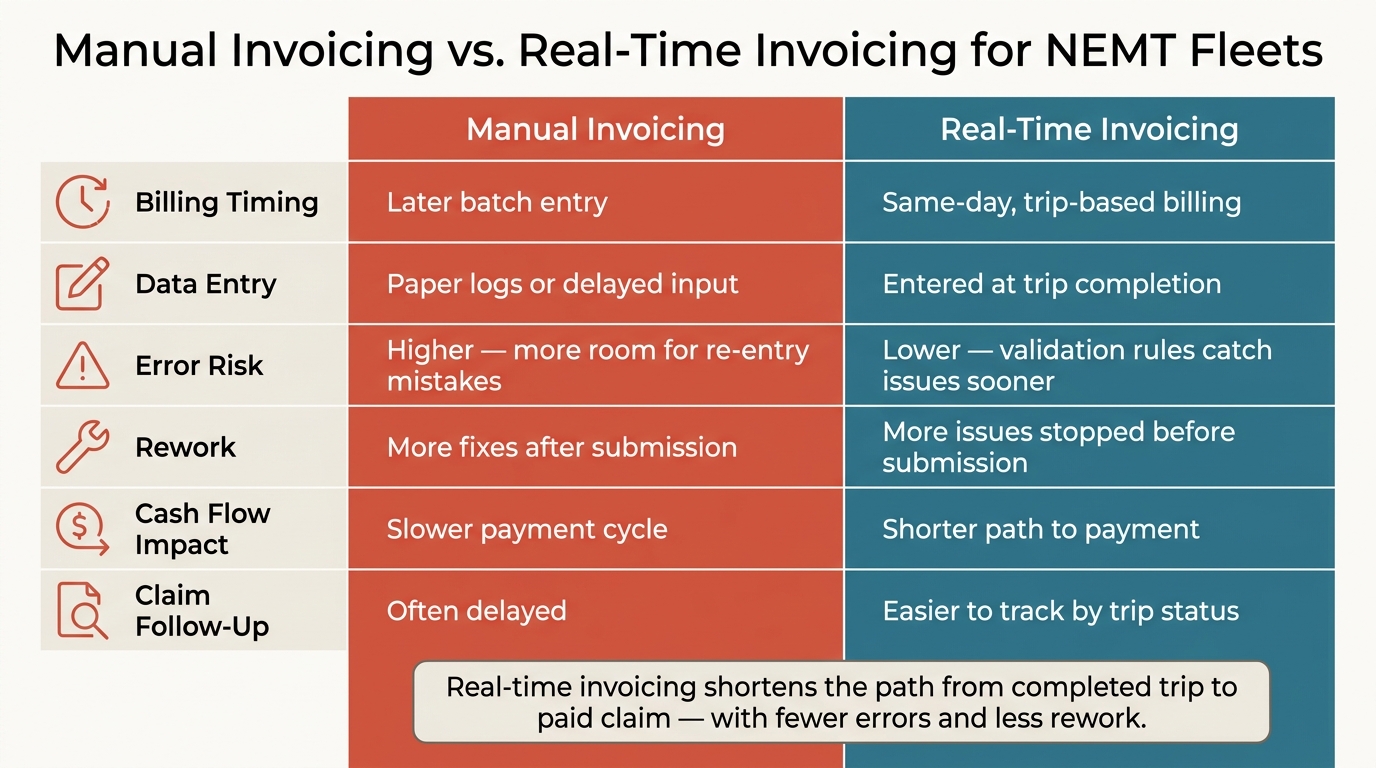
Manual Invoicing vs. Real-Time Invoicing for NEMT Fleets
For small NEMT fleets running on tight margins, billing speed has a direct effect on cash on hand.
Faster Reimbursement and Fewer Aging Receivables
Same-day billing shrinks the time between a finished trip and a submitted claim. For Medicaid claims and broker billing, that means a shorter delay between service completion and submission. And that leads to fewer invoices sitting in the 30-, 60-, and 90-day receivables buckets.
For a small fleet, that can mean better working capital and less pressure week to week. It matters even more when trip data flows straight into billing rules, payment posting, and reconciliation without extra back-and-forth.
Lower Error Rates and Less Rework
When billing data is logged in real time, there’s less room for manual re-entry and fewer chances for mismatched details. That alone can cut a lot of avoidable billing headaches.
Automated validation flags missing or inconsistent trip data before submission, which helps reduce rework. Instead of fixing errors later, staff can catch them while the trip details are still current.
Manual Invoicing vs. Real-Time Invoicing: A Side-by-Side Comparison
The difference stands out most in a direct comparison.
| Factor | Manual Invoicing | Real-Time Invoicing |
|---|---|---|
| Submission speed | Batch process later | Submitted as each trip is completed |
| Data handling | Manual entry and verification | Real-time capture with automated checks |
| Error risk | Higher – more room for re-entry mistakes | Lower – validation rules catch issues sooner |
| Manual corrections | More manual correction and resubmission | Fewer handoffs and corrections |
The next step is the workflow that turns completed trip data into an invoice or claim record.
How NEMT Trip Data Becomes an Invoice or Claim
From Trip Completion to Billable Record
Once trip data is in the system, the next job is turning it into a billable record. That sounds simple, but this is the point where clean payments or frustrating rejections start to split apart.
Timestamps and mileage need to be recorded at the point of service, not added later. After that data is checked, the system can generate an invoice or claim.
How Integrated Systems Produce Billing Outputs
The system matches each payer to the right output format. A private-pay client gets a standard invoice. A Medicaid claim needs a CMS-1500 form or an 837P electronic file. Broker billing has its own format rules.
In cloud-based NEMT software such as NEMT Cloud Dispatch, scheduling, GPS tracking, and billing automation sit in one workflow. That means verified trip data can move straight into billing without duplicate entry.
After the output is created, the workflow still needs status tracking and payment posting.
Status Tracking, Payment Posting, and Reconciliation
After submission, operators need to see whether each claim was accepted, denied, or partially paid. If a denial comes back, staff should be able to trace it to the original trip record, fix the issue, and resubmit it. Partial payments should be posted to the original invoice so the unpaid balance stays visible, and that same data feeds month-end reconciliation.
That process only works when payer rules, billing fields, and staff inputs are set up the right way.
sbb-itb-af83355
How to Set Up Real-Time Invoicing in Cloud Dispatch Software
Configure Payer Rules, Billing Fields, and Workflow Triggers
Once trip data is in place, the software needs to make a simple call: bill it now or send it for review.
Set payer rules, required billing fields, role-based permissions, and auto-review triggers before the first trip is posted. That way, each completed trip moves into the right billing path instead of landing in limbo.
This matters because billing access shouldn’t be open to everyone. Only billing staff should be able to release, edit, or void an invoice or claim. NEMT Cloud Dispatch can bring scheduling, GPS, and billing into one workflow, which cuts back on handoffs and mix-ups.
Build Compliance Checks Before Invoices Go Out
Put billing holds in place before anything goes out the door. If a trip fails a required check, stop it first and fix the issue.
Common holds include:
- Missing signatures
- Time mismatches
- Mileage variances
- Eligibility gaps
These checks help prevent the denials, resubmissions, and rework covered earlier in this guide. Automated workflows should verify account information and apply payer-specific billing rules before submission. But software can’t clean up bad input on its own. Staff still need to collect the right data at the point of service.
Train Dispatchers and Drivers to Capture Billable Data Correctly
Training needs to be plain and repeatable. Show dispatchers and drivers which fields are required, how to handle exceptions, and who is allowed to clear billing holds.
Start with one workflow first: claim holds and billing exceptions. Get the team to the point where they can finish that process without help, then add more. Keep billing access limited to the staff who handle exceptions.
Citations
Guidance on automated billing guardrails, escalation rules, and limited system access for high-risk billing workflows.
Go-Live Checklist and Key Takeaways
What to Verify Before Turning On Automatic Invoicing
Once the workflow is set up, test each rule before you switch it on. That means checking payer rules, rates, needed signatures, mileage, and claim IDs for each payer. It also helps to limit billing access to authorized staff, so incomplete trips get stopped before they reach billing.
With those controls in place, the next step is simple: watch for exceptions after launch.
Daily and Weekly Checks After Launch
After launch, the job changes from setup to monitoring. Review rejected claims, invoice errors, missed trips, duplicate charges, and posting errors. That gives you a way to spot rule problems and data-entry mistakes early, before they turn into a bigger mess.
Each week, reconcile posted payments against submitted claims. This helps you find payments that are missing or applied to the wrong claim.
Key Points for Small NEMT Fleets
Real-time invoicing works only when dispatch, documentation, and billing follow the same rules. After launch, check that those workflows still hold up during day-to-day use.
Platforms like NEMT Cloud Dispatch bring scheduling, dispatching, billing, fleet management, GPS tracking, and medical billing automation into one place for small-to-mid-size fleets. The idea is straightforward: automate only after the billing workflow is stable.
FAQs
What trip data is required for same-day billing?
For accurate same-day billing, NEMT operators need complete, audit-ready trip records, including:
- GPS-stamped pickup and drop-off times
- Total mileage
- Electronic passenger signatures
- Passenger mobility level and any specialized services provided
When drivers log this information in real time through mobile apps and cloud-based dispatch software, the billing process gets a lot cleaner. The data can feed into automatic coding, cut down on manual entry mistakes, and help teams meet Medicaid, Medicare, and broker requirements.
How do billing holds prevent claim denials?
Billing holds help prevent claim denials because they act as a last quality-check before a claim goes out the door. They catch common mistakes like missing timestamps, missing signatures, wrong HCPCS codes, and coverage problems.
That means fewer manual re-entry errors and a better shot at sending only clean, complete claims to payers. The result is less rework and less lost revenue.
How soon can a small NEMT fleet see cash flow gains?
Small NEMT fleets often see a return on investment within 30 to 45 days after putting modern dispatch software in place.
The cash flow lift usually comes from a few clear areas. Automated billing can cut claim denials and help reimbursements come in sooner. Digital trip records make claims audit-ready, which can reduce rejections. On top of that, route optimization can lower fuel costs and help each vehicle handle more trips without adding extra waste.